Setting Up Better Stremio
Install Stremio
Go to the official Stremio website to download the stremio client, And Install it just the way you install any other Software's.

Installing BetterStremio
Next we need to install the BetterStreamio for the watchparty plugin. It basically patches the server.js file to inject code into local server and adds a plugin and themes feature.
To install, Go to Latest BetterStremio releases and download the executable file and launch the exe.
[Note : If the executable isn't launching, Run it as Administrative mode]
Once the executable launches,
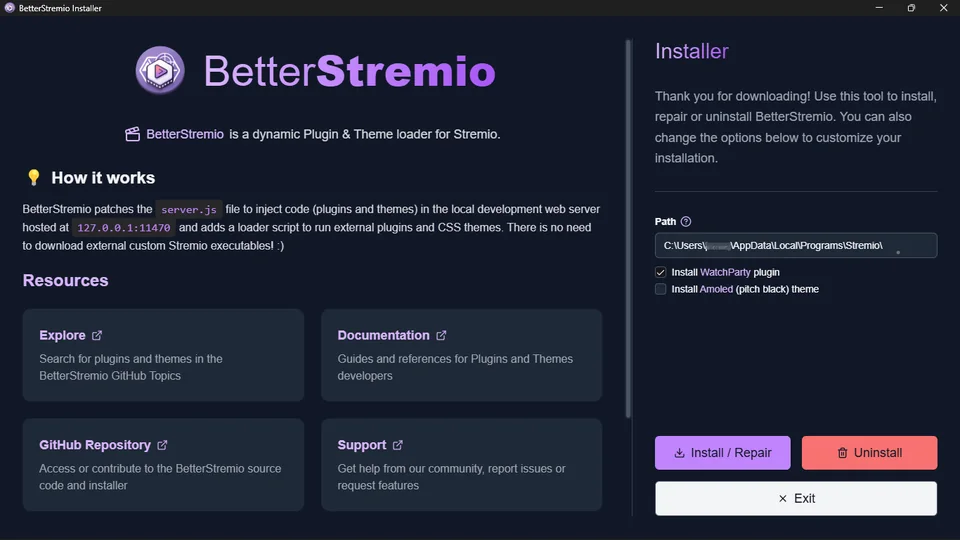
You need to set the path for stremio to patch the server.js. It will be usually in the following path:
Directory PathC:\Users\<yourUserName>\AppData\Local\Programs\Stremio\
Or
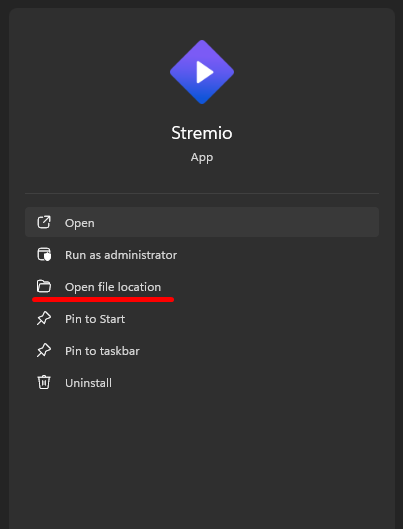
And if you're not sure of the path? Find the path through the Search in your pc, Find the File location:
And the path will lead to a folder containing such files:
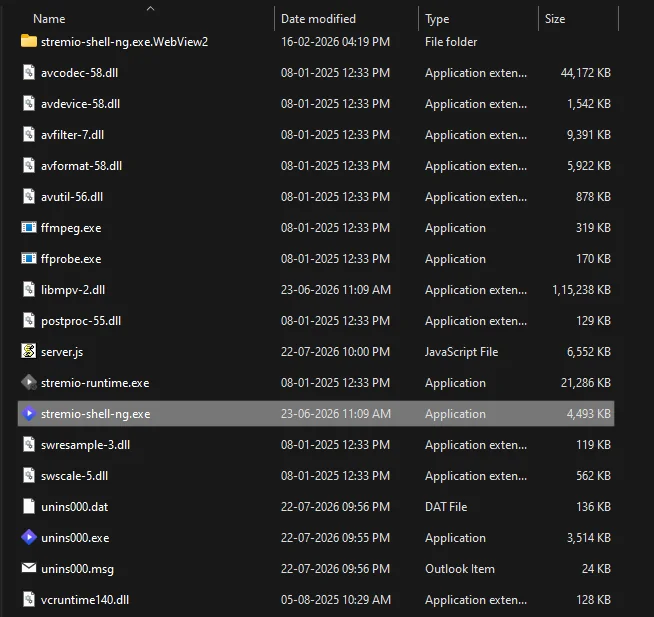
Copy the folder path:
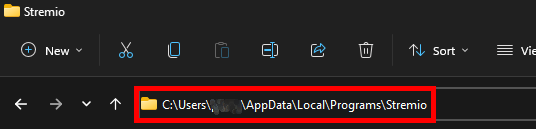
(Could be different for you, Based on your installation Directory, But in the end it will be a "Stremio" folder)
Finalizing the Patch
Now , Put Check mark on the "Install WatchParty Plugin" and then click "Install/Repair". And you're done!.
Relaunch Stremio Client
Relaunch the Stremio , Close the windows client (Do not quit, Just minimize/close it).
Open Web UI in Browser
Go to browser, and go to the following URL:
Local Web URLhttp://127.0.0.1:11470/#/
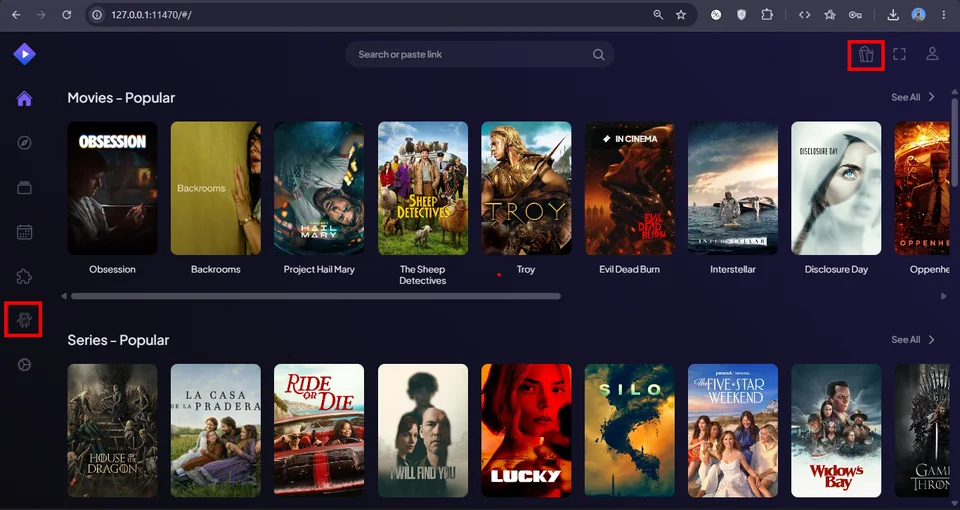
If everything is right, You will see the following in the web page:
Installing Torrentio
Next we need to watch the movie from the Lord Torrent. For which, you need to copy the following link :
Manifest URLhttps://torrentio.strem.fun/manifest.json
Or
Go to Torrentio Configs play with the settings if you want. And at the bottom, Instead of "Install", Click on "Copy Link".
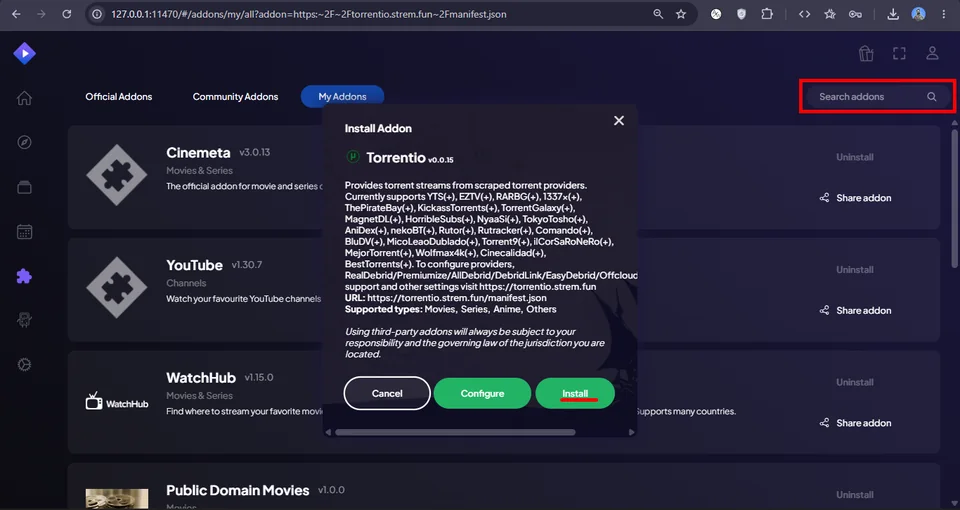
Now, Paste the link inside "Search addons" in "Addons" Tab, On which you will come across the following popup once you paste, and finally Click on "Install".
Congrats! , You're task is done. Although I will be dropping a small tutorial on how to use the plugin.
Using the Plugin
Create Party
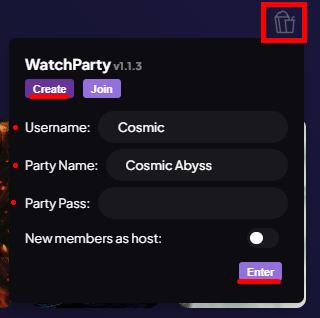
When you click on the WatchParty Plugin:
- Go to Create (To create team)
- Set username (Which will be shown to other members in the team)
- Give a fun Party Name
- Party Pass (Optional password to join party)
- And Click on "Enter"
The following tasks will create a new party, with a unique party code (Every time it will be random). Example : H7UULE
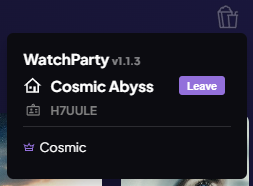
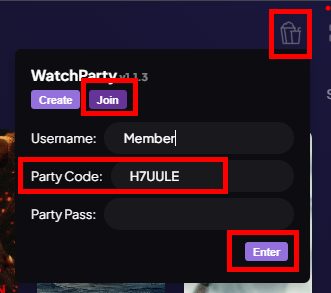
Join Party
- Click on Plugin Icon
- Set a Username
- Enter party code (Eg :
H7UULE) - Enter the Party
You're done!, When the host clicks any movie, It will be also loaded in your PC too!
“When host pauses the movie, It will be paused in your client too, Along with chat features on right side of screen so you can enjoy and chat live within stremio.”
(Note : Host, Pls don accidentally refresh your client, it might be chaos lol)
Final Notes & Credits
Now Grab the popcorn and enjoy the movie with your homies. This tut will work as of 2026, Changes and bugs are expected, So ya, This was the best solution I found.
Credits to MateusAquino for Betterstremio and the Plugin
// END OF THE BLOG //